
Unenroll a Columbia Account from AutoPay on PayCoMo
No longer want to have your City of Columbia bills paid automatically on PayCoMo? No problem! Follow the steps below to unenroll from AutoPay:
Note: To unenroll a Home Energy Loan account from Autopay contact the City of Columbia at (573) 874-7491.
- Sign in to the PayCoMo profile used to set up AutoPay and click Explore Service under the related service

- Select Manage AutoPay

- Select Unenroll Account

- If you have multiple accounts enrolled in AutoPay, choose the account you wish to unenroll then click Submit
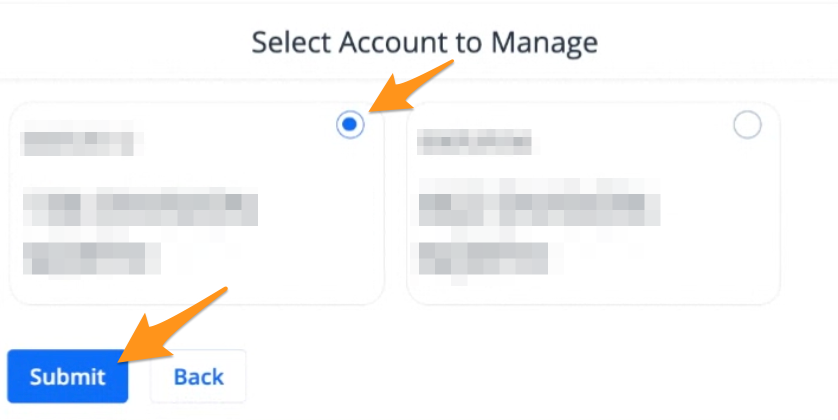
Note: If you only have one account enrolled in AutoPay proceed with the next step.
- Click Yes to confirm

Your account is now unenrolled from AutoPay. You will receive an unenrollment confirmation and manual payments will need to be made going forward.